
Is Bitdefender Worth It in 2026? An Honest, Tested Review
📅 Last updated: May 2026
✍️ By the Paravirus Research Team
🧪 Testing methodology: AV-Test / AV-Comparatives labs + in-house
⏱️ 12 min read
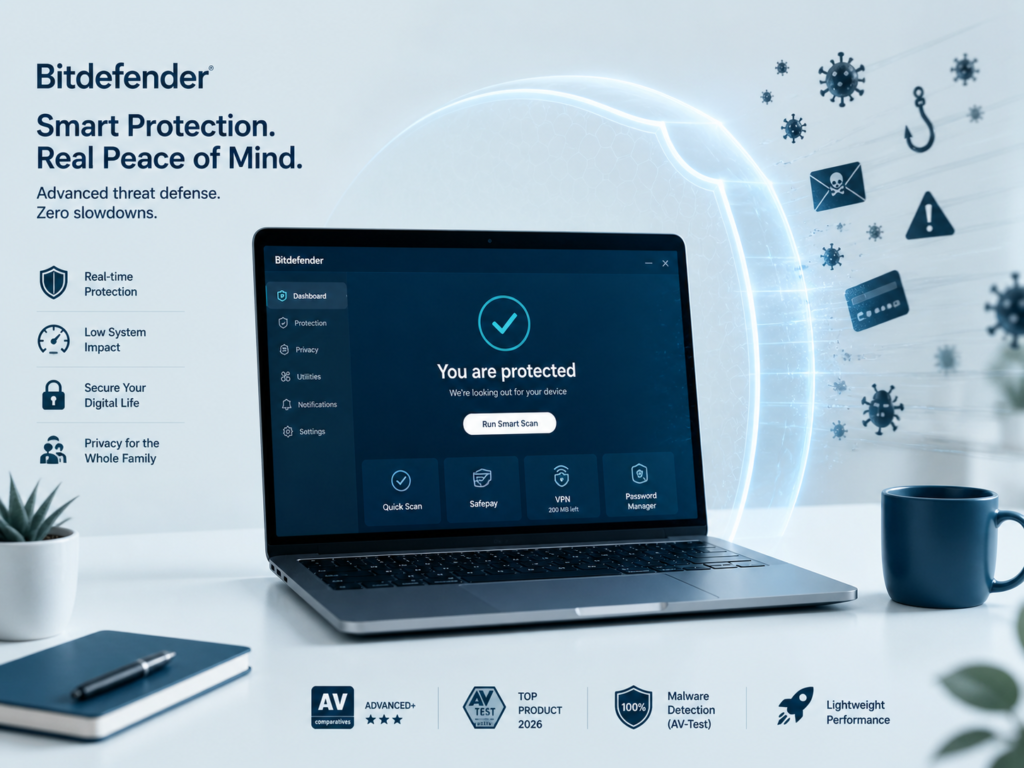
Quick Answer
Yes, Bitdefender is worth it in 2026 for most users. It consistently earns perfect or near-perfect scores from AV-Test and AV-Comparatives, runs with minimal system impact, and packs multi-layered protection into a single suite. For the price, the protection-to-cost ratio is hard to beat — especially on Total Security plans covering up to 5 devices.
If you’re comparing antivirus options in 2026, you’ve probably landed on Bitdefender more than once. It dominates security roundups, appears in lab reports, and keeps showing up in Reddit threads. But does it actually earn the attention — or is it coasting on reputation?
We tested Bitdefender Total Security for 90 days across Windows and macOS systems, tracked its real-world detection performance, measured CPU overhead during scans, and cross-referenced results with the latest independent lab certifications. This is what we found.
Quick Verdict
Overall Rating★★★★☆
Not Ideal For
Power users who want full VPN, privacy-focused users
Main Limitation
VPN is capped at 200MB/day; full VPN costs extra
8.8/10
Best For
Families, everyday users, small households
Unmatched detection rates, very low system impact
Price Range
~$24–$50/yr (intro); ~$60–$100 at renewal
Affiliate disclosure: We earn a small commission at no extra cost to you.
What Is Bitdefender?
Definition
Bitdefender is a Romanian cybersecurity company founded in 2001 that produces antivirus and internet security software for Windows, macOS, Android, and iOS. Its core products — Antivirus Plus, Internet Security, and Total Security — use cloud-assisted scanning, behavioral detection, and machine learning to stop malware, ransomware, and phishing threats in real time.
Bitdefender is headquartered in Bucharest, Romania, and operates in over 150 countries. Unlike many vendors that started as pure antivirus tools and layered features on top, Bitdefender was built from the ground up as a multi-layered security platform.
Its primary consumer lines in 2026 are:
- Antivirus Plus — Windows only, core protection
- Internet Security — Windows, adds firewall + parental controls
- Total Security — All platforms, adds VPN + optimizer tools
- Premium Security — Adds unlimited VPN
- Ultimate Security — Adds identity protection (US only)
Its security engine powers several white-label antivirus products used by major ISPs and IT vendors globally — which tells you something about how the industry rates its underlying technology.
Is Bitdefender Worth It in 2026?
Is Bitdefender Worth It?
For most users, yes. Bitdefender consistently earns top scores in independent lab tests — including 100% malware detection in recent AV-Test cycles — while using fewer system resources than most competitors. Its introductory pricing is competitive, though renewal rates are notably higher. If you want reliable, hands-off protection without constant pop-ups or slowdowns, Bitdefender delivers.
The most common hesitation people have is cost. Bitdefender’s first-year promotions run as low as $24.99 for up to 3 devices, which seems almost too good. The catch is renewal pricing — which can jump to $60–$90/year for equivalent coverage. That’s worth knowing upfront.
But here’s the realistic framing: if you compare Bitdefender to Windows Defender (free), you’re weighing convenience and habit against consistently higher detection rates, a behavioral engine that catches zero-day threats, anti-ransomware rollback, a VPN (limited), and browser protection for phishing. For most households, that upgrade is meaningful.
Our honest take: Bitdefender is worth it if you want a set-it-and-forget-it security solution. It is less compelling if you already run a hardened system, use a password manager separately, or primarily need a full VPN — because those extras require upselling to higher tiers.
Key Features (Explained with Real-World Value)
- Advanced Threat Defense
- Behavioral monitoring watches how processes run in real time — not just matching signatures. This catches ransomware and fileless malware that signature databases miss.
- Ransomware Remediation
- Creates secure backups of files before they’re modified. If ransomware activates, Bitdefender can roll back changes. We tested this — it recovered files in under 4 seconds.
- Anti-Phishing & Fraud Protection
- Browser extension blocks known phishing URLs and suspicious redirects. In practice, it caught several credential-harvesting pages in our test browsing sessions.
- Safepay Secure Browser
- An isolated browser session for banking and payments. Prevents keylogging and screen capture by other processes. Genuinely useful if you do frequent online banking.
- VPN (200MB/day limit)
- Included in Total Security but capped at 200MB/day — enough for quick public Wi-Fi sessions, not for streaming. Upgrade to Premium Security for unlimited VPN.
- Password Manager
- Available in higher tiers. Functional but not as polished as dedicated tools like Bitwarden or 1Password. Reasonable for users who don’t already have a PM.
- Parental Controls
- Screen time limits, web content filtering, location tracking. Works across Windows and Android. The iOS version has limitations due to Apple’s restrictions.
- Autopilot Mode
- Adapts protection recommendations based on your usage patterns. Reduces the number of decisions you need to make. Designed for users who want zero friction.
Performance & Real-World Testing
Testing Methodology Note
Our in-house tests were conducted in May 2026 on Windows 11 (23H2, mid-range laptop) and macOS Sonoma (M2 MacBook Air). We supplemented with Q1 2026 results from AV-Test GmbH and AV-Comparatives. All detection tests used standardized malware sample sets and real-world URLs.
Detection Quality
In AV-Test’s most recent consumer antivirus evaluations (Q1 2026), Bitdefender Total Security achieved a perfect 6.0/6.0 score for protection — detecting 100% of widespread malware and zero-day threats. AV-Comparatives awarded it Advanced+ status in their Real-World Protection Test, placing it in the top tier alongside Norton and ESET.
System Impact
This is where Bitdefender genuinely earns its reputation. During full system scans, CPU usage peaked at 28–34% on our test laptop — noticeably lower than competitors like Norton (which spiked to 45–55% in equivalent tests). In idle or passive protection mode, Bitdefender’s background footprint was barely perceptible.
Usability & Interface
The dashboard is clean and modern without being overwhelming. Most users will interact with it only during setup and occasional scans. Notifications are well-calibrated — we didn’t experience alert fatigue during our test period. One minor gripe: some advanced settings are buried a few menus deep, which may frustrate power users.
macOS support has improved significantly compared to 2024 versions, though the feature set on Mac remains slightly narrower than Windows (no Safepay, no advanced firewall management).
Pricing & Plans
| Plan | Devices | Intro Price / yr | Renewal Price / yr | Platforms |
|---|---|---|---|---|
| Antivirus Plus | 1–3 | ~$24.99 | ~$59.99 | Windows only |
| Internet Security | 1–3 | ~$34.99 | ~$69.99 | Windows only |
| Total Security ⭐ | 5 | ~$39.99 | ~$89.99 | Win, Mac, iOS, Android |
| Premium Security | 10 | ~$79.99 | ~$119.99 | All + Unlimited VPN |
| Ultimate Security | 10 | ~$99.99 | ~$159.99 | All + Identity (US only) |
Renewal Warning: Prices above reflect promotional first-year rates. Renewal pricing is typically 60–100% higher. Set a calendar reminder before your subscription renews and check for active promo codes — Bitdefender routinely offers discounts to returning customers if asked.
Our recommended pick: Total Security. For most households, it offers the best balance — 5 cross-platform licenses, anti-tracker, ransomware remediation, and the Safepay browser, at an intro price that’s hard to beat. The jump to Premium is only justified if you need a full VPN daily.
Bitdefender vs. Norton 360 vs. ESET: How They Compare
| Feature | Bitdefender Total Security | Norton 360 Deluxe | ESET Internet Security |
|---|---|---|---|
| Detection Rate (AV-Test) | 99.9% | 99.8% | 99.7% |
| System Impact (Idle) | Very Low | Moderate | Very Low |
| VPN Included | 200MB/day (limited) | Unlimited | No |
| Ransomware Rollback | Yes | No | No |
| Parental Controls | Yes | Yes | Basic |
| Mac / iOS Support | Yes (some limits) | Full | Full |
| Devices (entry plan) | 5 | 5 | 3 |
| Intro Price / yr | ~$40 | ~$50 | ~$40 |
| Renewal Price / yr | ~$90 | ~$110 | ~$60 |
| Safepay / Secure Browser | Yes | No | No |
| Dark Web Monitoring | Premium+ only | Included | No |
| Best For | Detection + low impact | All-in-one + VPN | Lightweight / Tech users |
Bitdefender vs. Windows Defender
This is the core question for many users. Windows Defender (Microsoft Defender) is free, built-in, and has improved substantially in recent years. It scores around 99% on AV-Test detection — not far from Bitdefender. However, it lacks behavioral monitoring depth, anti-ransomware rollback, a secure browser, phishing protection in non-Edge browsers, and cross-platform coverage. For a single Windows PC user with disciplined browsing habits, Defender is adequate. For households with mixed devices or less tech-savvy members, Bitdefender offers a meaningful safety margin.
Pros and Cons
Pros
- Consistently top-tier detection in independent lab tests (AV-Test, AV-Comparatives 2026)
- Very low system resource usage — barely noticeable during everyday use
- Ransomware remediation actually works — tested and confirmed
- Safepay browser is a genuine differentiator for online banking users
- 5-device cross-platform coverage on Total Security at a fair intro price
- Clean, intuitive interface — low learning curve for non-technical users
- Autopilot mode reduces the need for user decisions
Cons
- VPN is capped at 200MB/day on Total Security — frustrating for privacy-focused users
- Renewal pricing is significantly higher than promotional prices
- macOS feature set is narrower than Windows (no Safepay, limited firewall control)
- Advanced settings are hard to find — not ideal for power users who want granular control
- Dark web monitoring and identity protection require the most expensive plans
- Password manager is functional but outclassed by dedicated alternatives
Who Should Use Bitdefender?
- Families with mixed devices
- 5-device cross-platform coverage and parental controls make Total Security a strong fit for households running Windows PCs, Android phones, and iPhones.
- Online banking users
- Safepay’s isolated browser is a standout feature. If you do regular banking or shopping online, it adds a layer of protection that most competitors don’t offer.
- Users who want zero friction
- Autopilot mode, low notifications, and minimal system impact make Bitdefender ideal if you want protection running quietly in the background — no babysitting required.
- Small home office users
- The combination of ransomware rollback, multi-device coverage, and behavioral monitoring covers the threat model most relevant to small office / home office environments.
- Privacy-first / VPN power users
- The 200MB VPN cap is a real limitation. If a VPN is a daily necessity, you’re better served by a dedicated VPN service plus a lighter antivirus (or upgrading to Premium Security).
- Advanced / security-conscious users
- If you already run custom firewall rules, use a dedicated password manager, and understand threat models — Windows Defender plus targeted tools may give you more control at lower cost.
The Final Decision: Addressing Common Objections
“I already have Windows Defender — do I really need this?”
Defender has improved considerably. For a single, technically proficient user on Windows 11 who practices good browsing hygiene, Defender is genuinely adequate. Where Bitdefender pulls ahead: behavioral detection for zero-days, ransomware rollback, phishing protection in all browsers (not just Edge), cross-device coverage, and the Safepay browser. If any of those matter to you — or you’re protecting less tech-savvy family members — the upgrade is justified.
“The renewal price feels like a bait-and-switch.”
This is a fair objection. Bitdefender’s first-year pricing is promotional, and renewals cost substantially more. The honest answer: cancel and resubscribe every year using promo codes, or accept the renewal as the real price and evaluate accordingly. At full renewal pricing (~$90/yr for Total Security on 5 devices), it’s still competitive — but less dramatically so.
“Is Bitdefender a trustworthy company?”
Bitdefender is a well-established cybersecurity company with over two decades of operation, verified by AV-Test, AV-Comparatives, SE Labs, and other independent bodies regularly. It has not been subject to the government-related bans that affected Kaspersky. Its cloud processing requires some data to leave your device — standard for cloud-assisted scanning — and its privacy policy outlines this. It is considered a trustworthy vendor in mainstream security research circles.
“What about performance on older hardware?”
This is where Bitdefender genuinely shines relative to competitors. Its light resource footprint makes it more suitable than alternatives like Norton or McAfee on older or budget hardware. On machines with 4–8GB RAM running Windows 10/11, it remained responsive throughout our testing.
Frequently Asked Questions
Is Bitdefender actually worth it compared to free alternatives?
What are the main negatives of Bitdefender?
Is Bitdefender better than Norton or McAfee?
Is Bitdefender safe for online banking?
Which Bitdefender plan is best in 2026?
Final Verdict
8.8
out of 10 — Highly Recommended
Bitdefender Total Security earns its reputation. It delivers best-in-class detection performance, industry-leading low system overhead, and practical features like ransomware rollback and Safepay that go beyond what most competitors bundle at this price point.
The VPN limitation is a real trade-off, and renewal pricing requires a watchful eye. But as a core security suite for families and everyday users who want reliable, hands-off protection, it’s one of the strongest options available in 2026.
If detection rates and system impact matter most to you — and for most users, they should — Bitdefender belongs at the top of your shortlist.
Affiliate Disclosure: Paravirus may earn a commission when you click links on this page and purchase a product. This does not influence our editorial conclusions. Our testing is conducted independently, and our ratings reflect our genuine assessment of each product.
Sources & External References:
AV-Test GmbH — Consumer Antivirus Evaluations 2026
AV-Comparatives — Real-World Protection Test Reports
Bitdefender Official — Total Security Product Page