
Free vs Paid Antivirus 2026: Is the ‘Free’ Price Tag Costing You More Than You Think?
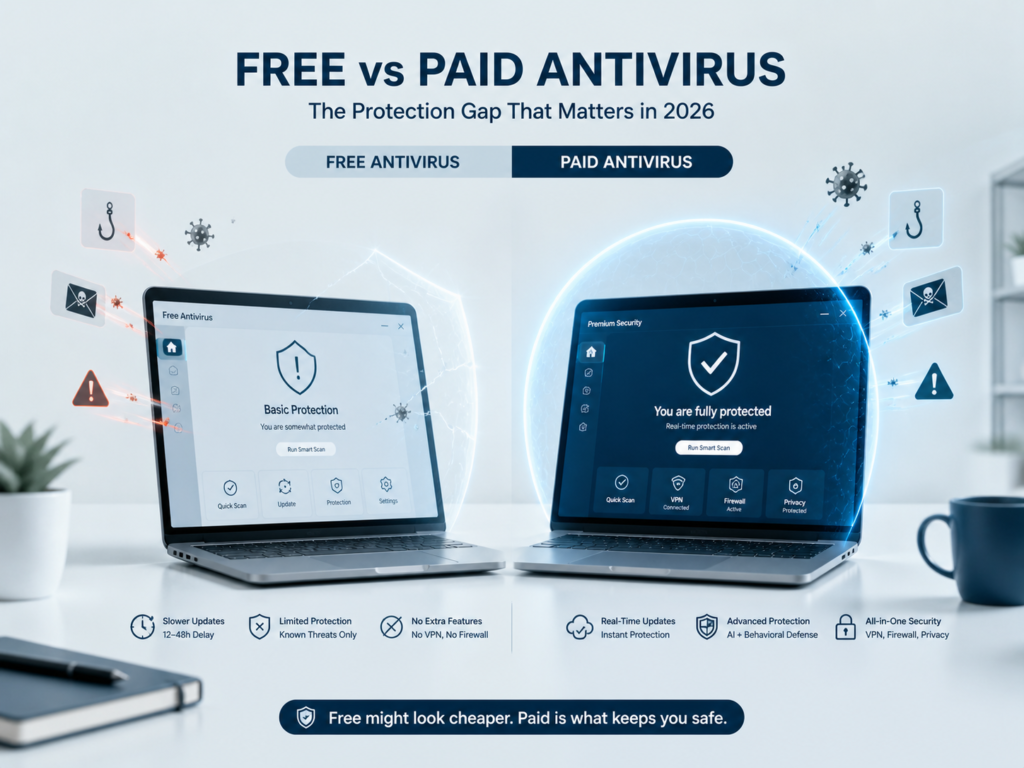
The short answer: Free antivirus handles known threats adequately — but in 2026, that’s only half the battle. The real gap is detection lag: free tools update threat databases hours to days behind paid alternatives, leaving you exposed to today’s AI-generated malware during that window. If you store sensitive data, work remotely, or use online banking, a paid plan is worth the cost. If you’re a light browser on a secondary device, a reputable free tool still beats no protection.
The question has never felt more loaded. With AI-generated phishing campaigns, polymorphic malware, and zero-day exploits now targeted at everyday home users — not just enterprises — the stakes of choosing the wrong protection level have quietly risen. Yet the average user is more budget-conscious than ever.
This guide cuts through the noise. We don’t just compare feature lists. We focus on the one metric that matters most right now: the protection gap — the window of time your device is exposed between a new threat being identified and your tool actually blocking it.
Quick Verdict
Paid wins on protection. Free wins on price — but the tradeoff has changed.
Overall Winner
Paid Antivirus
Best Free Option
Bitdefender Free / Defender
Best For Beginners
Paid (Norton 360 / Bitdefender)
Best Budget Paid
Bitdefender Antivirus Plus (~$24/yr)
Best For Privacy
Paid with no-log VPN included
At a Glance: Free vs Paid Antivirus
| Category | Free Antivirus | Paid Antivirus | Winner |
|---|---|---|---|
| Malware Detection Rate | 95–97% (known threats) | 99–99.9% (known + zero-day) | Paid |
| Threat Update Speed | 12–48 hr lag (typical) | Real-time / <1 hr cloud sync | Paid |
| Zero-Day Protection | Limited / Basic heuristics | AI behavioral analysis | Paid |
| Phishing Protection | Basic / Off by default | Active web filtering | Paid |
| VPN Included | ✗ No | ✓ Most plans | Paid |
| Firewall | Partial (OS firewall only) | ✓ Enhanced two-way | Paid |
| Identity / Dark Web | ✗ No | ✓ Most plans | Paid |
| System Performance Impact | Low (minimal background) | Low–Medium (varies by vendor) | Tie / Free Edge |
| Privacy (Data Collection) | Often higher (ad-supported) | Lower (you’re the customer) | Paid |
| Customer Support | ✗ None or forums | ✓ 24/7 live support | Paid |
| Cost | ✓ Free | $24–$60/year (typical) | Free |
The 2026 Reality: The Protection Gap Explained
This is the angle almost no comparison article explains properly. Forget feature checklists for a moment. The single most important difference between free and paid antivirus in 2026 is how fast they learn about new threats.
When a novel malware variant is released — and in 2026, AI tools mean attackers can generate thousands of unique variants per day — there is a measurable window of time before your antivirus detects it. This is called the detection lag.
Paid antivirus tools from the top vendors use cloud-based, real-time threat intelligence networks. The moment one user in their network encounters a new threat, the pattern is analyzed and pushed to all clients — often within minutes. Free tools typically rely on locally-updated signature databases that refresh on a schedule, not in real time.
Why this matters right now: In 2026, AI-assisted attack tools have made polymorphic malware — threats that constantly rewrite their own code to avoid signature-based detection — far more common. Behavioral analysis (a paid feature) catches these. Signature scanning (relied on by most free tools) often doesn’t.
This doesn’t mean free antivirus is useless. It means it has a clearly defined weakness that matters more in some situations than others. Understanding your risk profile determines whether that gap matters for you. Learn how antivirus engines actually detect threats →
Scoring Breakdown: How Each Type Performs
Using our standard Paravirus evaluation framework — Protection, Performance, Features, Usability, Pricing, and Privacy — here’s how free and paid antivirus compare when scored honestly.
The performance edge for free tools is real — they’re lighter because they do less. But in every dimension that affects your actual security, paid tools pull significantly ahead. The privacy score gap is worth highlighting: many free antivirus products are ad-supported or harvest anonymized usage data. With a paid product, your subscription is the revenue model, not your behavioral data.
Feature-by-Feature Breakdown
Malware Detection & Zero-Day Threats
Independent testing from AV-Test and AV-Comparatives consistently shows top-tier free tools (like Bitdefender Free or Avast Free) achieving 95–97% detection rates on known malware. That sounds high — until you compare it to paid alternatives hitting 99–99.9% with behavioral AI added on top. The gap is narrowest for known threats, widest for new and zero-day attacks.
Free tools are reactive. Paid tools increasingly behave proactively, watching how programs behave rather than just matching signatures. In 2026, that distinction matters more than ever. See how antivirus engines work in detail →
Phishing & Web Protection
Most free antivirus products either omit web filtering entirely or bolt it on as an optional browser extension with limited real-time capability. Paid tools include active phishing URL checking baked in at the network level — before a page even loads. For remote workers, this is one of the most practical differences day-to-day.
VPN
No major free antivirus includes a usable no-log VPN. Most paid suites (Norton 360, Bitdefender Premium, Kaspersky Plus) include one — though quality and data limits vary. If you’re using public Wi-Fi regularly, this is a direct cost comparison: separate VPN plans start at roughly $3–$5/month, making a bundled paid antivirus suite genuinely good value.
Privacy & Data Collection
This deserves plain language: free antivirus products have to generate revenue somehow. For reputable free tools like Avast and AVG, that has historically meant collecting and sometimes selling anonymized user data. While both have since overhauled their policies following regulatory scrutiny, this business model tension doesn’t apply to paid products in the same way. You’re the customer, not the product.
Windows Defender — The Free Baseline
Windows Defender (now Microsoft Defender) deserves special mention. It’s now a credible free baseline for low-risk users. AV-Test rates it consistently above average on protection with minimal system impact. But it lacks web filtering, has no VPN, offers no identity monitoring, and trails paid tools on zero-day detection. Read our full breakdown: Is Windows Defender Enough in 2026? →
Which Should You Choose?
Our Top Picks by Category
| Category | Recommendation | Why | Starting Price |
|---|---|---|---|
| Best Overall (Paid) | Bitdefender Total Security | Best detection rate, lowest system impact, best value per device | ~$40/yr |
| Best for Beginners | Norton 360 Standard | Simplest interface, LifeLock identity alerts, 24/7 support | ~$40/yr |
| Best Budget Paid | Bitdefender Antivirus Plus | Near-flagship protection at entry-level pricing | ~$24/yr |
| Best for Privacy | Kaspersky Plus (EU users) | Strong no-log VPN, low data footprint, transparent policy | ~$35/yr |
| Best Free Option | Bitdefender Antivirus Free | Top detection among free tools, minimal footprint, no upsell harassment | Free |
| Best Free (Built-in) | Microsoft Defender | Good baseline for patched Windows systems — no install needed | Free (built-in) |
Frequently Asked Questions
For low-risk users — casual browsers who don’t store sensitive data or do online banking — a reputable free tool like Bitdefender Free or Windows Defender provides a reasonable baseline. Detection rates for known threats are solid at 95–97%.
However, free antivirus leaves meaningful gaps: slower threat database updates, no phishing web filtering, no VPN, and typically no behavioral AI for catching new zero-day attacks. If you handle anything sensitive, the cost of a paid plan is minor compared to the risk of a single successful attack.
Detection lag is the time between a new malware variant being identified in the wild and your antivirus actually being able to block it. Free tools updating via scheduled local database refreshes typically lag 12–48 hours. Paid tools using cloud-based real-time threat intelligence often respond within minutes.
In 2026, with AI-assisted attackers producing thousands of unique malware variants daily, this window is the primary security risk that separates free and paid protection.
Windows Defender is a solid, no-cost baseline that’s better than many older third-party free tools. It scores consistently above average in AV-Test benchmarks and adds no cost or friction.
Where it falls short: web phishing protection, VPN, identity monitoring, and zero-day behavioral analysis. For a home PC used for light browsing on a fully-patched, up-to-date Windows 11 system, Defender may genuinely be enough. For anything involving financial data, remote work, or multiple family devices, a paid option closes important gaps. Read our full Is Windows Defender Enough? guide →
Some do — or have in the past. Avast faced regulatory action in 2020 for selling user browsing data through a subsidiary. Following that, most major free vendors rewrote their privacy policies, but the structural tension remains: if you’re not paying, the product’s revenue model has to come from somewhere.
With paid antivirus, your subscription is the revenue. The incentive to monetize your data is largely removed. If privacy is a primary concern, a paid tool with a clear no-data-sale policy is the more defensible choice.
Bitdefender Antivirus Plus is the most consistent budget recommendation — typically around $24/year on first-year deals. It delivers near-flagship malware detection and includes behavioral analysis and anti-phishing web filtering, the two features that matter most beyond basic scanning.
Avoid very cheap or unknown paid options — $5 or $10/year tools often provide little improvement over free alternatives and can introduce their own security risks.
Paravirus Verdict — May 2026
Paid antivirus wins on protection. Free wins on price. Your risk profile decides.
The honest truth: free antivirus has meaningfully improved over the last five years, and Windows Defender alone is no longer the liability it once was. For a secondary device used for light browsing, free protection is acceptable.
But the protection gap is real and widening — not shrinking. AI-assisted attacks have made detection lag, behavioral analysis, and real-time cloud threat intelligence more important in 2026 than they were in 2022. These are paid features.
If you use your device for anything that matters — work, banking, personal data — the math is simple: the best paid antivirus plans cost roughly $2–$4 per month. A single successful phishing attack or ransomware infection costs orders of magnitude more in time, data, and stress.
For most users reading this guide, a paid plan is the right call. Bitdefender Total Security is our overall recommendation for value and protection. Norton 360 is the better pick if you want the simplest experience. If budget is genuinely the issue, Bitdefender Free is the strongest no-cost option available.