
The 2026 Human-Error Audit: Are You the Weak Link?
A Risk Assessment Framework for Every Type of Windows 11 User
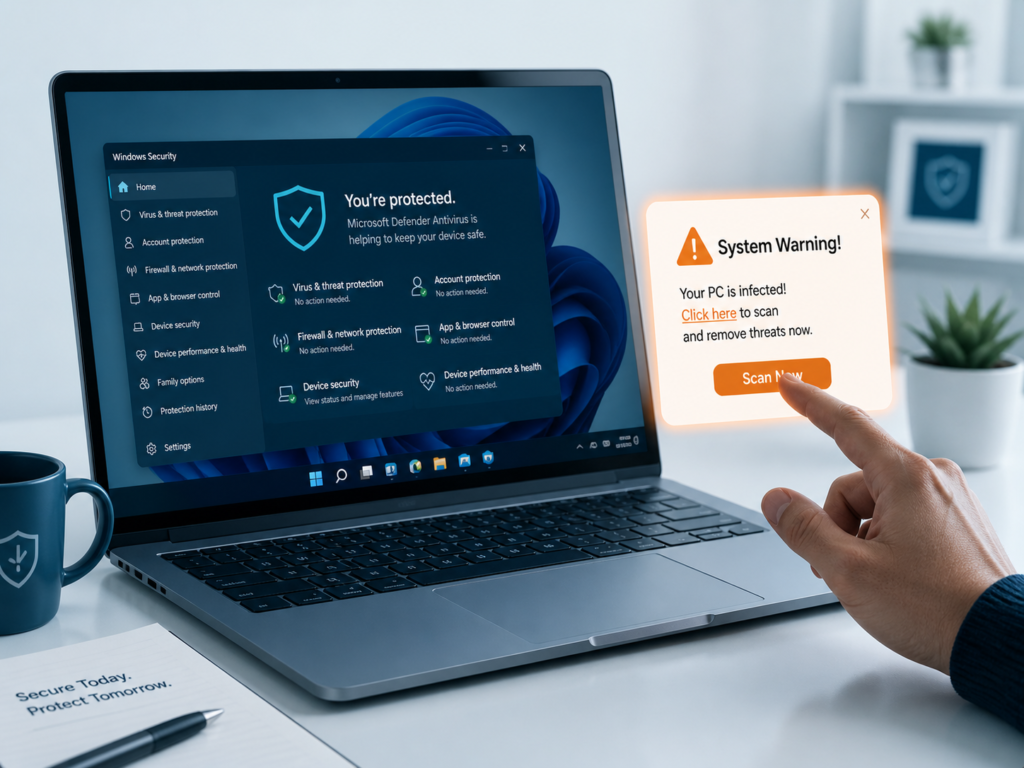
The question sounds simple. You’re running Windows 11, Microsoft Defender is already installed and running in the background — so why would you pay $40 to $80 per year for a third-party antivirus suite? The honest answer is: it depends entirely on you, not your software.
This is not the article that tells you to buy a specific antivirus product. It is the article that helps you figure out whether you need one at all — and if you do, what kind. By the time you reach the end, you will have a clear, behavior-based verdict tailored to your actual habits, not a generic disclaimer designed to sell subscriptions.
The Real Question: Is Windows 11 Secure Enough?
The short answer is yes — for the average user. Windows 11 ships with Microsoft Defender Antivirus, Windows Firewall, SmartScreen, and Core Isolation (also called Memory Integrity), all enabled by default. In independent lab tests conducted by AV-TEST and AV-Comparatives in late 2025, Defender consistently scored in the 99th percentile for detecting known malware against a reference set of tens of thousands of samples.
But “secure enough” is a moving target. The real question is not whether Defender can stop a known virus — it almost certainly can. The real question is whether it can stop a threat that exploits you rather than your software. In 2026, that distinction matters more than ever.
| Key Insight Microsoft Defender is not weak software. The debate has shifted away from “can it detect malware” to “can it protect against human-behavior exploits, novel AI-generated code, and browser-based attacks on non-Edge browsers.” |
The Three-Tier Risk Profile: Which User Are You?
Stop thinking about antivirus in terms of brands and price points. Start thinking about your behavior. The following framework maps your habits to your actual risk level.
| User Profile | Risk Level | Verdict | Recommendation |
| The Casual (Netflix, email, official stores) | Low | Windows Defender is sufficient | No 3rd-party AV needed |
| The Gamer/Modder (scripts, cracked software, unverified mods) | Medium-High | Defender alone will miss behavioral threats | Add behavioral AV (Bitdefender, Malwarebytes) |
| The High-Value Target (crypto, corporate VPN, sensitive data) | Critical | Neither Defender nor basic AV is enough | EDR-style solution + hardware-level isolation |
Tier 1 — The Casual User: Defender Is Plenty
If your typical Windows 11 session involves streaming services like Netflix or YouTube, online banking through major institutions, shopping exclusively through official stores (Microsoft Store, Amazon, Apple), and communication through standard apps (Outlook, Teams, Zoom), then Windows Defender combined with Windows 11’s built-in security stack is genuinely sufficient.
Here is what “sufficient” actually means in practical terms:
- Defender blocks 99%+ of known malware signatures automatically.
- SmartScreen filters malicious downloads and phishing URLs in Edge.
- Windows Hello and BitLocker protect your credentials and data at rest.
- Automatic updates patch vulnerabilities within days of disclosure.
For this profile, spending money on a third-party antivirus suite does not meaningfully improve your security. It may, in fact, slightly reduce it — more on that in Section 4.
Tier 2 — The Gamer or Modder: You Probably Need Extra Protection
Gaming and modding communities operate in a high-risk grey zone. Installing mods from Nexus Mods or CurseForge from verified publishers is generally safe. Installing unverified scripts from Discord servers, cracked game files from torrent sites, or “free” cheat clients is not. The threat is not the mod itself — it is the installer, the batch script that runs alongside it, or the DLL that gets quietly dropped into your game directory.
Windows Defender relies heavily on signature-based detection. A threat that has never been submitted to Microsoft’s telemetry will often pass right through it, especially if it is distributed as a “legitimate” file type like a Python script, an AutoHotKey macro, or a seemingly harmless configuration file.
For this profile, a behavioral antivirus engine — one that watches what code does rather than what it looks like — is a worthwhile addition. Options worth considering include:
- Bitdefender Total Security — strong behavioral heuristics without major performance impact. Read our full Bitdefender Total Security review for details.
- Malwarebytes Premium — excellent as a complement to Defender, not a replacement.
- ESET NOD32 — historically lightweight, well-regarded in gaming communities.
See our comparison of the best antivirus for gaming PCs for a deeper breakdown of performance impact versus protection tradeoffs.
Tier 3 — The High-Value Target: You Need More Than Antivirus
If you fall into any of the following categories, conventional antivirus — whether Defender or a third-party suite — is not enough on its own:
- You hold significant cryptocurrency (more than a few hundred dollars in hot wallets).
- You use a corporate VPN and have access to company infrastructure from your personal machine.
- You work in journalism, activism, law, finance, or any field that makes you a target for nation-state or organized criminal actors.
- You regularly handle sensitive personal data belonging to others (client records, medical data, legal files).
For this profile, you need to think in terms of EDR — Endpoint Detection and Response. This is the category of security software that goes beyond scanning files to monitor process behavior, network connections, memory access patterns, and lateral movement indicators in real time.
Consumer-grade options with EDR-like capabilities include Bitdefender GravityZone (business tier), Microsoft Defender for Business (available through Microsoft 365), and CrowdStrike Falcon Go. Equally important are hardware-level protections: ensure Core Isolation is enabled, use a dedicated hardware security key (like a YubiKey) for your most sensitive accounts, and never store cryptocurrency seed phrases on a networked device.
The Browser Blindspot: Why Your Choice of Browser Matters
This is one of the most important — and least discussed — gaps in Windows 11’s default security setup.
Microsoft Defender SmartScreen is deeply integrated into Microsoft Edge. When you visit a phishing site, download a suspicious file, or click a deceptive ad in Edge, SmartScreen can intervene at the network level before the content reaches your browser. The protection is comprehensive and largely transparent.
When you use Google Chrome, Mozilla Firefox, or Brave, that integration disappears. SmartScreen has no direct hook into these browsers. You are relying instead on:
- Google Safe Browsing (Chrome/Brave) — effective but updated less frequently than SmartScreen.
- Firefox’s built-in phishing protection — also based on Google Safe Browsing, with similar limitations.
- Defender’s file-scanning layer — which only activates after a file is downloaded, not before.
| The Practical Gap A phishing page that went live 6 hours ago may already be flagged in SmartScreen but not yet in Google Safe Browsing. That 6-hour window is when most credential-theft campaigns peak. If you use Chrome or Firefox as your primary browser, this gap is real. |
The fix does not require switching to Edge or purchasing antivirus. Installing a reputable browser extension closes most of this gap:
- uBlock Origin — blocks malicious ad networks that distribute malware.
- Bitdefender TrafficLight — free browser extension, adds SmartScreen-equivalent URL checking in Chrome/Firefox.
- Malwarebytes Browser Guard — free, effective against phishing and malicious redirects.
If you routinely use Chrome or Firefox and you are not using one of the above extensions, this is the single highest-impact free change you can make to your security posture today.
The Counterintuitive Risk: When Third-Party Antivirus Reduces Your Security
This is the talking point that antivirus vendors would rather you never read.
Every antivirus program, to do its job, must insert itself deeply into your operating system. It installs kernel-level drivers, hooks into system calls, intercepts network traffic, and injects code into running processes. This is not a design flaw — it is a fundamental requirement of how antivirus software works. You cannot scan processes from outside them.
The problem is that these same hooks are attack surfaces. In 2024 and 2025, security researchers published several papers documenting what is now called “AV hooking abuse” — a technique where attackers use the trusted kernel drivers of installed antivirus products to load their own malicious code, bypassing Windows’ own driver signing requirements. Because the antivirus driver is already trusted, Windows does not flag the injected code.
This is not a theoretical risk. The 2024 CrowdStrike incident — where a faulty sensor update caused millions of Windows machines to crash — demonstrated in a very visible way that kernel-level security software can cause catastrophic system failures even when it is not being attacked. Adversarial exploitation of the same pathways is well-documented in post-incident reports from Microsoft’s own threat intelligence team.
| The Honest Assessment A well-maintained, reputable antivirus from a major vendor (Bitdefender, ESET, Kaspersky, Norton) adds more protection than risk for most users. A poorly maintained product, an obscure vendor, or a “free” antivirus with unclear business models introduces meaningful risk. The sweet spot for Tier 1 users may genuinely be Defender + browser extension rather than a full third-party suite. |
For a more detailed look at whether a paid solution justifies the cost, see our comparison of free vs. paid antivirus options.
The 2026 AI Evolution: How Modern Malware Bypasses Signature Scanning
Signature-based antivirus works by maintaining a database of known malware patterns — essentially fingerprints. When a scanner sees a file that matches a known fingerprint, it flags it. This model has been the backbone of consumer antivirus for thirty years, and it still works well against the vast majority of threats.
In 2026, a new category of threat has emerged that does not have a signature, because it does not exist as a fixed file. Researchers and threat actors have begun using large language models and generative AI to produce what security professionals are calling “polymorphic malware” — code that rewrites itself every time it runs, never producing the same binary twice. Traditional signature scanners see a file they have never encountered, check their database, find no match, and clear it.
More concerning is a technique called “living-off-the-land” (LotL) execution, which has been supercharged by AI tooling. Rather than dropping a malicious executable, attackers use legitimate Windows tools — PowerShell, WMI, Task Scheduler, remote management frameworks — to carry out their attack. There is no malware file to scan because the attack is assembled entirely from trusted system components.
Why Core Isolation Matters More Than Your Antivirus Engine
Windows 11’s most underappreciated security feature is not Defender — it is Core Isolation, specifically the Memory Integrity (HVCI) component. Memory Integrity uses hardware virtualization to create an isolated environment for kernel code. Even if an attacker manages to load malicious kernel code, Memory Integrity prevents it from accessing protected memory regions.
To verify that Core Isolation is enabled on your machine:
- Open Windows Security.
- Navigate to Device Security.
- Click Core Isolation Details.
- Confirm that Memory Integrity is toggled On.
If it is not enabled, turn it on immediately and restart. This single setting, combined with Secure Boot and TPM 2.0 (both required for Windows 11), provides a hardware-enforced security baseline that no antivirus software can replicate in software alone.
No antivirus product — regardless of price — can substitute for hardware-level isolation. This is why the conversation in 2026 has shifted from “which antivirus” to “is your hardware security stack configured correctly.”
What About VPNs and Password Managers — Do They Replace Antivirus?
Many antivirus vendors now bundle VPNs and password managers into their suites, using this as a justification for the subscription price. Here is the honest assessment of whether that bundling makes sense.
VPNs
A VPN encrypts your network traffic between your device and the VPN server. This is valuable in two specific scenarios: using public Wi-Fi networks, and bypassing regional content restrictions. It does not protect against malware, phishing, or credential theft. A VPN will not stop you from installing a malicious file, and it will not prevent a remote attacker from accessing your machine if you have already been compromised.
If you want a VPN, buy a standalone VPN subscription from a provider with a transparent no-logs policy (Mullvad and ProtonVPN are the most credibly audited options). The VPN bundled with most antivirus suites is a marketing add-on, often with data caps and inferior server networks.
Password Managers
A password manager is one of the highest-impact security tools available, and it has nothing to do with antivirus. Weak, reused passwords are the root cause of the majority of account compromises. A dedicated password manager — Bitwarden (free, open-source), 1Password, or Dashlane — is a better choice than the one bundled with an antivirus suite, because the standalone products have richer features, better cross-platform support, and clearer security auditing.
| Bottom Line on Bundles If a third-party antivirus is right for you, buy it for the antivirus engine. Evaluate the VPN and password manager as separate products on their own merits. Do not let the presence of a bundle justify a purchase that is not otherwise warranted. |
Your Decision Framework: A Four-Question Audit
Before you open your wallet — or close a browser tab selling you something — answer these four questions honestly.
- Do you ever install software from outside official stores or verified publishers?
If yes: Your risk is elevated. Consider a behavioral antivirus. Read our guide to the best antivirus for Windows 11 for vetted options.
- Is Chrome or Firefox your primary browser?
If yes: Install a browser security extension (uBlock Origin + Bitdefender TrafficLight or Malwarebytes Browser Guard). This costs nothing and closes the SmartScreen gap.
- Do you hold significant cryptocurrency or have corporate network access from your personal device?
If yes: Standard consumer antivirus is not sufficient. You need an EDR-capable solution and hardware security keys.
- Is Core Isolation (Memory Integrity) enabled on your Windows 11 machine?
If no: Enable it before doing anything else. This is the highest-impact free action available to any Windows 11 user.
The Verdict
Windows 11 does not universally need a third-party antivirus. But that statement comes with a significant asterisk: it assumes you are the right kind of user, using the right kind of browser, with the right hardware security settings enabled.
The weakest link in most Windows 11 setups is not Defender — it is the human operating it. Phishing emails that bypass every filter because the user clicks anyway. Mods installed from unverified sources. Password reuse across ten accounts. A Core Isolation toggle that has never been touched.
Run the four-question audit above. Be honest with yourself. The answer that emerges from your behavior is the correct answer for your situation — not the one on the box of an antivirus suite, and not the one from a vendor whose affiliate program rewards clicks.
| Quick Summary Casual user (streaming, banking, official apps): Defender is sufficient. Enable Core Isolation. Add a browser extension if you use Chrome/Firefox.Gamer/Modder (third-party software, unverified mods): Add a behavioral antivirus engine. Bitdefender or Malwarebytes are solid choices.High-value target (crypto, corporate access, sensitive data): You need an EDR-capable solution, hardware security keys, and possibly professional security advice. |